Features
Everything on this page works in the current beta. Features still in development are marked Planned. Click any screenshot to see it full size.
Everything in one place on your PC
- Start and stop the web server, with a QR code and link to share
- See who's signed in and what's uploading, then sign out a device or cancel an upload
- Pause all uploads or downloads with one switch
- Close the window and WiFiDrop keeps running in the tray
- Optional PIN so nobody else on the PC can manage users or files
 WiFiDrop Admin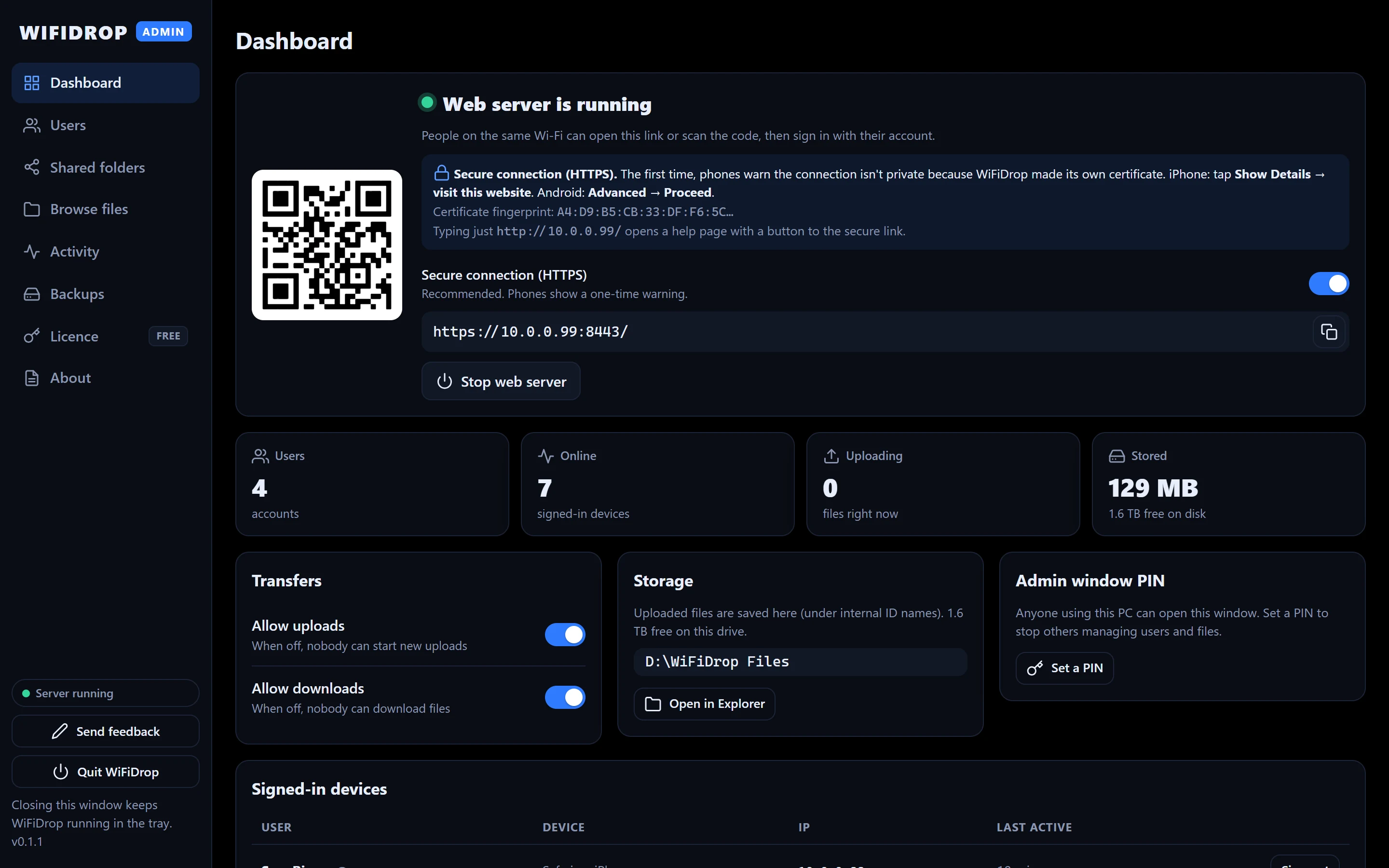
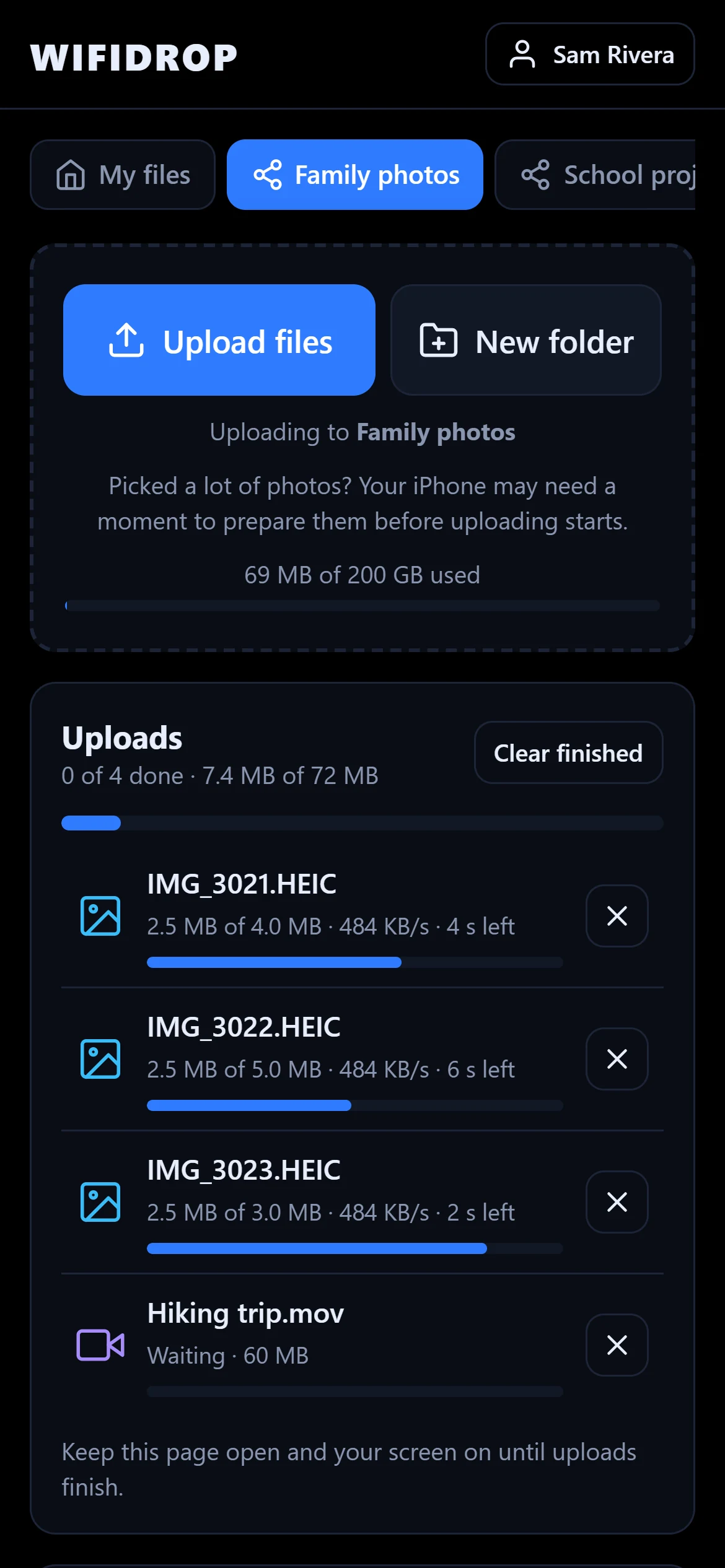
Upload from any phone, no app needed
- Open the link or scan the QR code, then sign in
- Upload many files at once, of any type, with progress and time left
- Uploads are sent in pieces and resume by themselves after a dropped connection
- Make folders like "Pics" and "School", then move, rename and delete files
- Deleted items go to the Trash first and can be restored
Private by default, shared on purpose
- Each person has a private folder only they can see
- Shared folders with View, Upload or Manage access for each person
- People with Upload access can only change files they added
- Storage limits per person and per shared folder
- Suspend or delete accounts; files someone added to shared folders stay
WiFiDrop Admin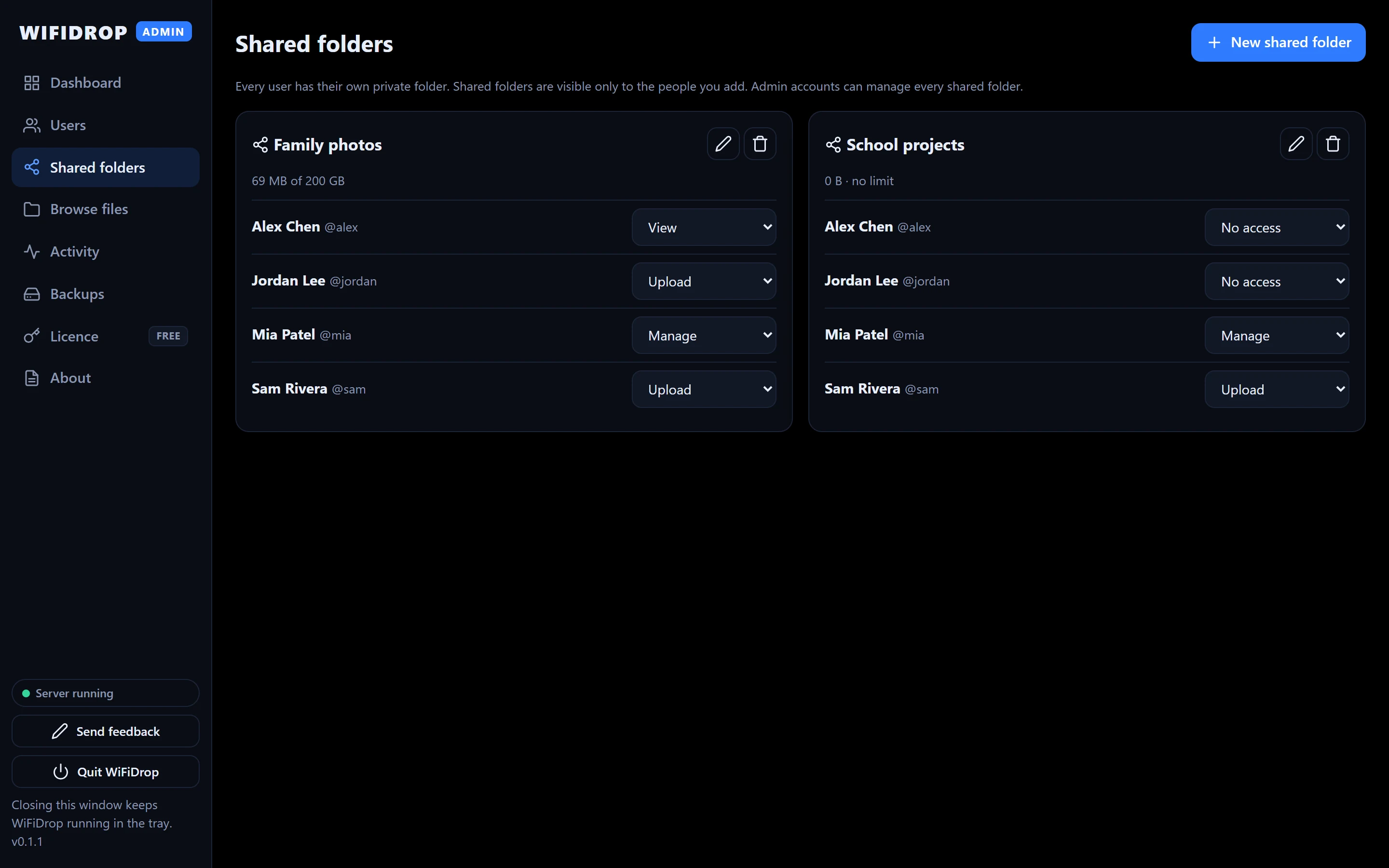
Adding people takes seconds
- WiFiDrop suggests an easy temporary password
- People choose their own password the first time they sign in
- Give admins the power to manage every shared folder
- Reset a forgotten password from the admin window
WiFiDrop Admin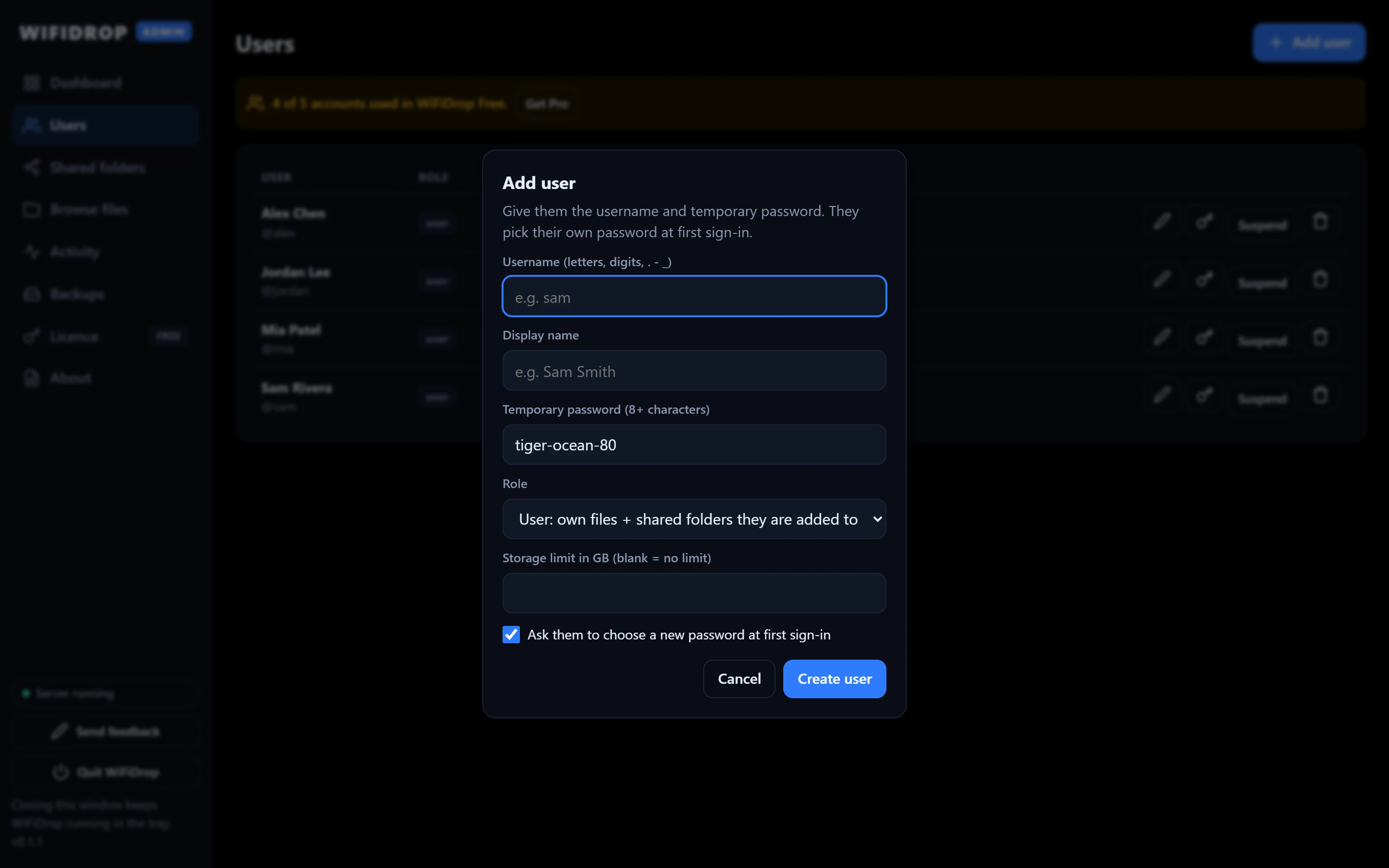
Security and reliability
HTTPS on your network
WiFiDrop makes its own certificate. Phones show a one-time warning, then the connection is encrypted.
Careful with passwords
Passwords are stored with Argon2id. Repeated wrong passwords lock the account and slow down guessing.
Files never half-written
Uploads are finished and checked before they appear. Rename and move are instant and can't half-fail.
Safe upgrades
Each new version backs up its database first and refuses to damage data from a newer version.
Local network only
WiFiDrop only listens on private network addresses. It isn't reachable from the internet.
Your choice of drive
Pick where files go during setup, and move everything to a new drive later from the admin window.
Pro, and what's next
Pro adds unlimited accounts and scheduled backups. Items marked Planned aren't available yet. See plans.
Scheduled backups In Pro
Automatic daily or weekly copies of every file and account to another drive, such as an external disk.
Guest upload links Planned
A link or QR code that lets guests drop files into one folder without an account.
Transfer history Planned
Who uploaded and downloaded what, with CSV export.
Your name and logo Planned
Custom name, logo and colour on the page people see.